


Entering Geofence area
The Geofence area is a like fence drawn around the SmartAccess Module. When entering KeylessGo/AutoUnlock get’s armed. The SmartAccess App starts scanning for a SmartAccess Module.
If KeylessGo or AutoUnlock is not activated within 15 min after entering the Geofence area you need to leave the Geofence and reenter to enable the Keyless Entry features again.
Nevertheless opening the door manually via the SmartAccess App still works.
Note: The geofence area may vary slightly depending on reception, surroundings, and device and may not always be detected precisely. As a result, there may occasionally be slight delays in push notifications.
Approaching door
entering Bluetooth area
The Bluetooth area is the area in which the SmartAccess Module can communicate with the smartphone via Bluetooth. When entering this area the SmartAccess App establishes a connection to the SmartAccess Module or door. Inside this area the door can be opened via the SmartAccess App.
If KeylessGo is not used within 1 min after activation you need to leave the Geofence area and reenter to enable this Keyless Entry features again. The automatic deactivation of KeylessGo after 1 minute is a security feature that prevents potential unintentional door opening.
Nevertheless opening the door manually via the SmartAccess App still works.


Note: The transmission power and reception characteristics of the SmartAccess Module depend heavily on constructional and environmental conditions. Thus, the range in the open field differs from that in buildings. Also, the signal is transmitted differently at high humidity than at lower humidity.
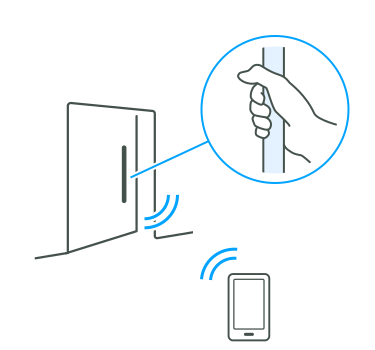

Grabbing the door handle or touching the sensor
KeylessGo: The SmartAccess Module checks access permissions and unlocks the lock. The door can then be pushed open.
AutoUnlock: The SmartAccess Module checks access permissions and unlocks the lock as soon as the key is within Bluetooth range. The door can then be pushed open.
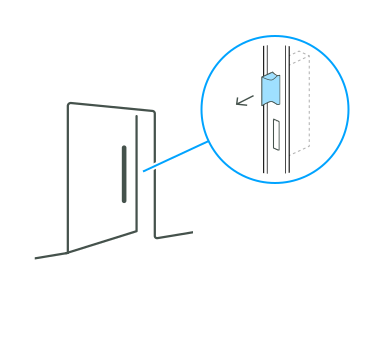
After opening the door
The latch gets extracted immediately after opening the door.
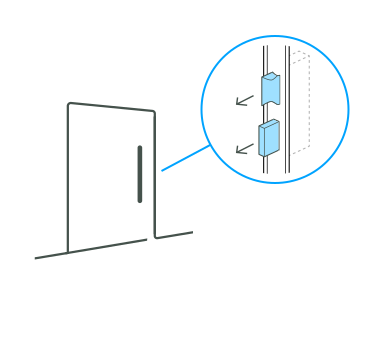
Closing the door
After closing the door get’s fully locked again.
Safety Note: After closing the door, a 15-second safety timeout is activated, which prevents the door from being opened again during this time.1
1Functionality depends on lock type (All motorised FUHR locks supports this feature).
Multiple users at the same door
When multiple users approach the same door with KeylessGo or AutoUnlock enabled, SmartAccess opens the door for the first smartphone that establishes a connection.
To prevent unintended reopening, a 15-second safety timeout starts when the door closes. During this period, the SmartAccess Module blocks further keyless opening attempts. This prevents the door from being reopened unintentionally when multiple users with active KeylessGo or AutoUnlock access are nearby.
Manual opening via the app remains available during this period.
Note: Door Status Feedback Required
This safety feature requires door status feedback to determine whether the door is open or closed. Door status feedback is integrated in FUHR autotronic and FUHR multitronic locks.
For Pulse Control locks, a functional door status sensor must be wired to the SmartAccess Module and the Status Sensor Installed option must be enabled.
Without a door status sensor and with the option disabled, KeylessGo and AutoUnlock continue to operate normally. However, the multi-user safety feature is not available.
If the Status Sensor Installed option is enabled without a correctly wired and functional sensor, KeylessGo and AutoUnlock will not work. For more information, see the Lock Settings chapter.
Safety notice
If AutoUnlock is enabled, the door unlocks as soon as the key is within Bluetooth range. Make sure you actually enter, otherwise the door remains unlocked.
If you do not have a SmartTouch handle or a SmartTouch sensor, AutoUnlock can be used to enable similar door behavior to KeylessGo.